This article describes the content of the v6.2.0 release of the OpenSTDroid (st-android-16.0.0-2026-05-26 tag), which is part of STM32 MPU ecosystem release note - v6.2.0.
1. Delivery scope and purpose[edit | edit source]
The OpenSTDroid distribution provides all the components required for running, developing and/or making your own platform based on Android™ framework. It runs on the Arm® Cortex®-A35 processors, and is a fundamental part of the Android-based OpenSTDroid embedded software.
It is compatible with Android 16.0.0.
It is provided as an example. The Android certifications are not guaranteed.
This delivery of OpenSTDroid release v6.2.0 is part of STM32MP25-Ecosystem-v6.2.0 (see the STM32 MPU ecosystem release note - v6.2.0).
2. Release content[edit | edit source]
2.1. Main software components[edit | edit source]
- Embedded software components
- Android version v16.0.0 (AOSP android-16.0.0_r4 tag)
- Kernel version v6.6.116 (AOSP common kernel) + updates for STM32MP25 and associated boards
- TF-A version v2.10.24 + updates for STM32MP25 and associated boards
- U-Boot version v2023.10 + updates for STM32MP25 and associated boards
- Trusty (AOSP android-16.0.0_r4 tag) + updates for STM32MP25 and associated boards
- TF-M version v2.1.3 (MCUBoot is also part of the TF-M project)
- GCC version v15.2.Rel1 (used only for MCUBoot, TF-M, TF-A and U-Boot)
- OpenOCD version v0.12.0
- GCnano version v6.4.21
2.2. Detailed features[edit | edit source]
2.2.1. BSP features[edit | edit source]
The OpenSTDroid v6.2.0 is based on the OpenSTLinux BSP v6.2.0, which is described in the following chapters :
The OpenSTDroid v6.2.0 adopts the M33-TD flavor  architecture. It is based on the FwST-M BSP, which is described in the following chapters :
Additionally, the OpenSTDroid v6.2.0 integrates a dedicated secure OS: Trusty
2.2.2. Android features[edit | edit source]
| Domain | Feature | STM32MP25 boards |
Comment |
|---|---|---|---|
| Flash & Recovery | Fastboot (U-Boot) |  |
This mode can be entered by connecting an ST-Link console to the UART interface or by hardware control (button) or with adb reboot bootloader. It's useful to flash physical partitions. |
| Fastbootd (recovery) | |
This mode can be entered with adb reboot fastboot. It's useful to flash logical partitions (ex: generic system image). | |
| Boot | Android Verified Boot | |
Verification with Trusty |
| Secure Boot |  |
First stage authentication not available | |
| Update | Partially | Boot partition selection available (boot from _a is selected by default) | |
| Security | SELinux | |
|
| Runtime verification (dm-verity) | |
Based on vbmeta information provided by U-Boot | |
| Disk encryption | Partially | Using adiantum software solution | |
| Trusted environment | |
Trusty | |
| Keystore | |
Keymint based on Trusty | |
| Gatekeeper | |
Gatekeeper based on Trusty | |
| Display & Graphics | OpenGLES 3.1 | |
Restriction: AEP ES31A is not supported |
| Vulkan 1.3 | |
Restriction: only for application purpose | |
| Display (LVDS) | |
Maximum resolution: 1080p | |
| HDMI | |
Maximum resolution: 1080p; Audio is not supported | |
| Multimedia | Audio output | |
No audio output on the STM32MP257F-EV1 and on the STM32MP257F-DK boards. |
| Audio input | |
No audio input on the STM32MP257F-EV1 and on the STM32MP257F-DK boards. | |
| Camera | |
imx335 connected on CSI connector (maximum resolution (4K page configuration): 1920x1440) | |
| Video HW decode | |
H.264 and VP8 (maximum resolution: 1080p60) | |
| Video SW decode | |
Maximum resolution: 480p30 | |
| Video HW encode | |
||
| Network and connectivity | Ethernet | |
Only ETH2 enabled for STM32MP257F-EV1 board |
| Wifi | |
With Wi-Fi USB adapter (ex: NETGEAR AC1200) for STM32MP257F-EV1 board | |
| Wifi hotspot | |
With Wi-Fi USB adapter (ex: NETGEAR AC1200) for STM32MP257F-EV1 board | |
| BT / BLE | |
Bluetooth available on STM32MP257F-DK board, but not integrated in Android. | |
| USB | |
USB2.0 on the STM32MP257F-EV1 board. USB3.0 on the STM32MP257F-DK board. Mass storage / MTP / PTP / NCM. | |
| Systems | Boot control | Partially | Use boot control based on misc partition |
| Power control | Partially | Use power HAL example (stub) | |
| Thermal control | Partially | Use thermal HAL example (stub) | |
| Sensors | Sensors | |
No sensor available on the STM32MP257F-EV1 and on the STM32MP257F-DK boards. |
| Hub | |
No sensor available on the STM32MP257F-EV1 and on the STM32MP257F-DK boards. | |
| Debug | ADB (USB) | |
|
| ADB (Ethernet) | |
||
| Perfetto | |
||
| Storage | USB storage | |
Only for external storage |
| microSD card | |
For default user data (eMMC / microSD card hybrid configuration) or for external storage | |
| eMMC | |
For read-only partitions and for default user data (eMMC configuration) | |
| Others | Lights | |
|
| Touchscreen | |
3. Restrictions[edit | edit source]
3.1. BSP restrictions[edit | edit source]
The OpenSTDroid v6.2.0 is based on the OpenSTLinux BSP v6.2.0, see the associated restrictions.
Trusty restrictions :
- Embedded HW crypto is not integrated
- Embedded HW random generator is not integrated
- Secure watchdog is not integrated
3.2. Android restrictions[edit | edit source]
OpenSTDroid is provided as example.
In this context, compliance tests (VTS/CTS) are not ensured (but they are executed and treated as much as possible).

Main restrictions concerning the OpenSTDroid distribution:
- Splash screen has been disabled
- Embedded HW video encoder is not integrated
- Secure Boot for first boot stage not available
- FOTA mechanism for first boot stage not available
- Low power mechanism not available
 Information Information
|
|
The eMMC RPMB must be provisioned with the TEST KEY (see RPMB authentication key setting) when using the STM32MP25 reference boards |
4. Minor release updates[edit | edit source]
STMicroelectronics can deliver corrections and some light changes on purpose through github® components.
5. How to get started with OpenSTDroid[edit | edit source]
Refer to Android-based OpenSTDroid embedded software article.
6. Intended audience[edit | edit source]
The targeted audience is STM32MPU customers and partners.
7. Licensing[edit | edit source]
This software package is licensed under a LIMITED LICENSE AGREEMENT FOR ST MATERIALS EVALUATION (LLA). Customers may not use this package except in compliance with the software license agreement (SLA).
All packages use the same source components. All components and their respective licenses are listed here.
8. Supported hardware[edit | edit source]
This software delivery is compatible with the following boards:
| STM32MP25 boards | |||
|---|---|---|---|
| Boards | PCBs list | Main features | Ordering |
 STM32MP257F-EV1 Evaluation board |
|
|
|
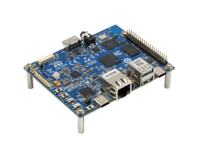 STM32MP257F-DK Discovery kit |
|
|
|
9. Associated tools[edit | edit source]
Refer to the Referenced tools release notes .
10. Demonstration applications[edit | edit source]
The OpenSTDroid distribution is delivered with several applications provided as example.
10.1. STLauncher[edit | edit source]
Simple launcher application example.
The associated application project is available on GitHub® (compatible with Android Studio IDE): STLauncher application.
10.2. STVideo[edit | edit source]
Simple video application illustrating how to play a video. The video files must be stored in the Movies directory on an external storage (such as a USB storage).
The associated application project is available on GitHub® (compatible with Android Studio IDE): STVideo application.
10.3. STCamera[edit | edit source]
Simple camera application illustrating how to use the camera (preview and take picture services). The Camera imx335 must be connected on the CSI connector.
The associated application project is available on GitHub® (compatible with Android Studio IDE): STCamera application.
10.4. STGraphics[edit | edit source]
Simple 2D and 3D graphics application illustrating usage of OpenGLES v2.0.
The associated application project is available on GitHub® (compatible with Android Studio IDE): STGraphics application.
10.5. STPerf[edit | edit source]
Performance overlay application used to demonstrate in foreground the device performance (CPU usage, GPU usage, frame rate). The application can be configured and stopped via a notification system interface.
Limitation: this application is available only in debug build. GPU performance is not yet available.
The associated application project is available on GitHub® (compatible with Android Studio IDE): STPerf application.
11. References[edit | edit source]
12. Archives  [edit | edit source]
| STM32MPU release | OpenSDroid release note |
|---|---|
| STM32 MPU-Ecosystem-v5.1.0 | STM32 MPU OpenSTDroid release note - v5.1.0 page for the v5 ecosystem releases (in archived wiki) |
Arm® is a registered trademark of Arm Limited (or its subsidiaries) in the US and/or elsewhere. 
Arm® is a registered trademark of Arm Limited (or its subsidiaries) in the US and/or elsewhere.