1. What is the STM32 ISP IQTune desktop application?

It consists of two components:
- A desktop application, running on a host computer (Linux Ubuntu, Windows or MacOS)
- An embedded application, running on the STM32 device to be tuned.
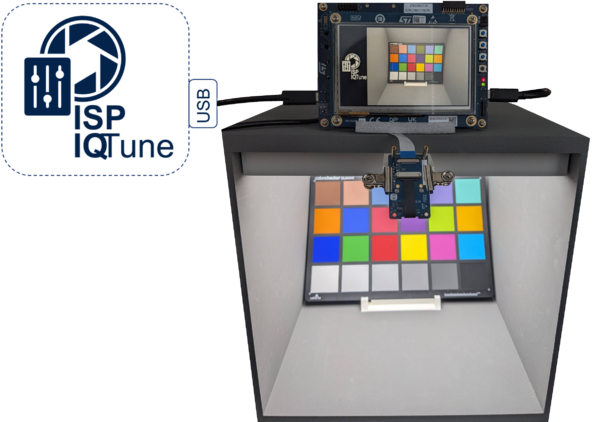
These two components communicate through a USB link connecting the host computer to the STM32 board to be tuned.
STM32 ISP IQTune provides all the services to allow users to tune the STM32 ISP for an RGB RAW Bayer sensor and its associated lens:
- It gives access to the STM32 ISP parameters that can be tuned.
- It provides image quality analyzing capabilities to easily tune the STM32 ISP for any light conditions. For a white-balance profile, the image quality analyzing services provide:
- The possibility to define the white-balance ISP gain.
- The possibility to define the color correction matrix.
- Information and metrics about the color accuracy according to the ISP configuration defined by the user.
2. How to install STM32 ISP IQTune
Go to st.com to download the STM32 ISP IQTune software for your OS:
- Windows : STM32-IQTune-Win
- MacOS : STM32-IQTune-Mac
- Ubuntu : STM32-IQTune-Lin
Run the installer, which automates the installation process and ensures that all necessary files, settings, and dependencies are properly configured for your system.


3. How to use STM32 ISP IQTune
3.1. Connect the board
Connect the host computer running the STM32 ISP IQtune desktop application to the target USB Type-C (OTG) port with a USB cable.
3.2. Launch the board application
Make sure that the STM32 ISP IQTune board app is installed from the X-CUBE-ISP package : see ISP:Getting_started_with_X-CUBE-ISP.
- Run the STM32 ISP IQTune application to:
- Start the camera preview.
- Prepare the USB connection with the remote desktop application.
3.3. Launch the desktop application
When the application is launched, it first checks for the USB connection with the remote embedded application. Documentation links are also available on the left panel.

As soon as the remote embedded application has started, the connection port is detected. Click on Connect.

When the app starts, you’ll see:
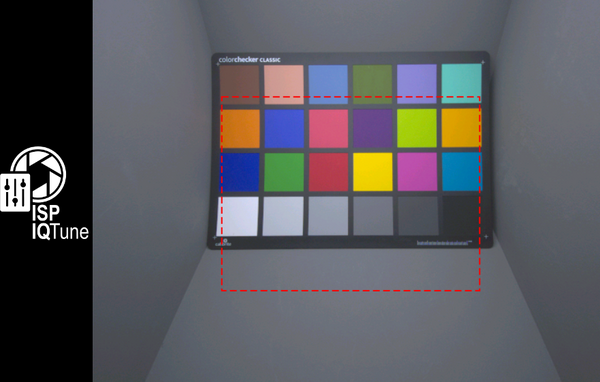
- A live preview on the right using the UVC feature, where you can adjust the ISP settings and watch the changes happen in real time. At the bottom of this preview, there are real time estimation metrics of the current scene, but they might not be accurate if the sensor hasn’t been tuned yet.
- Useful sensor details show up in the bottom left panel.
- You can Start tuning from scratch by clicking the button in the top left panel.

4. Documentation
Click the Documentation icon on the left-hand side of the application for more detailed documentation.
